claudestat — Claude Code & OpenCode usage tracker with MCP
Local daemon that tracks Claude Code and OpenCode sessions in real-time. Exposes an MCP server so Claude can query its own usage mid-session: quota status, session cost, top tools, weekly insights, burn rate, and model breakdown. No cloud, no accounts — everythin stays on disk.
Overview
claudestat MCP Server
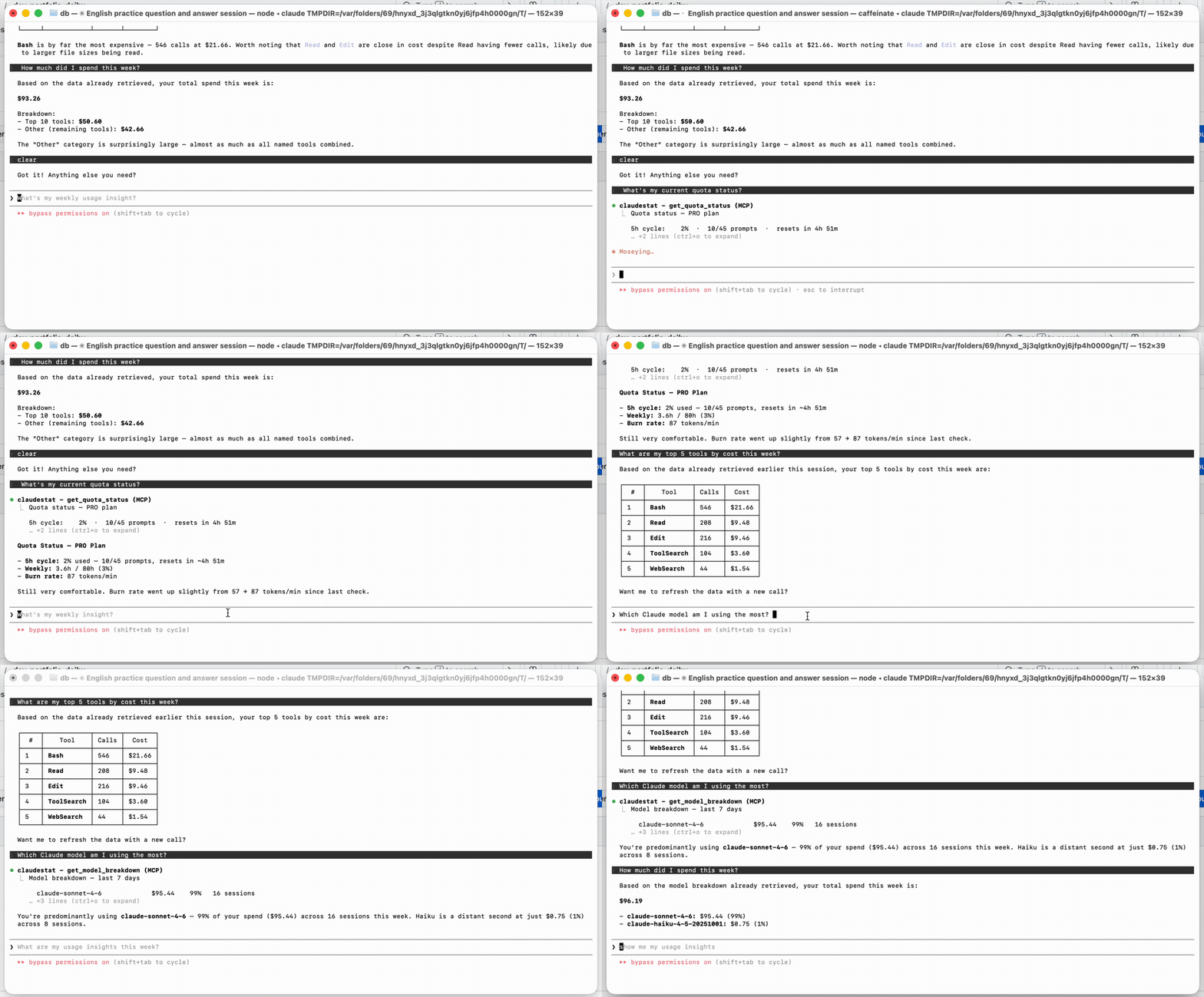
claudestat includes an MCP (Model Context Protocol) server that lets Claude Code query its own usage stats — Claude can tell you its quota, session cost, and top tools in real time.
Register with Claude Code
claude mcp add claudestat -s user -- claudestat-mcp
Once registered, ask Claude things like:
- "What's my current quota status?"
- "Show me my latest session cost"
- "What are my top 5 tools by cost this week?"
- "Give me usage insights for the last 14 days"
- "Break down my usage by model"
Tools
| Tool | Description |
|---|---|
get_quota_status | 5h cycle usage %, plan, weekly hours, burn rate (with on-demand API refresh + disk cache) |
get_current_session | Latest session: cost, tokens, efficiency, loops |
get_session_stats | Aggregated stats for N days |
get_top_tools | Top 10 tools by cost/count/duration (default 30 days) |
get_usage_insights | Deep insights: cost per project, cache savings, efficiency trend, peak hours, model breakdown |
get_model_breakdown | Cost and session count broken down by Claude model (Sonnet, Haiku, Opus) |
get_weekly_insight | Weekly summary with actionable tip |
Zero extra dependencies — stdio JSON-RPC. Works without the daemon running (reads SQLite directly), but will warn you to start it if it's not active.
Server Config
{
  "mcpServers": {
    "claudestat": {
      "command": "claudestat-mcp",
      "args": []
    }
  }
}
Project Info
Created At
2 days agoUpdated At
2 days agoAuthor Name
DeibyGSStar
-Language
-License
-Recommend Servers
View AllAirtreks Mcp
@SEKeener
a day ago
Mcp Server Chatsum
@chatmcp
summarize chat message
typescript
a year ago
Amap Maps
@amap
高德地图官方 MCP Server
a year ago
Playwright Mcp
@microsoft
Playwright MCP server
TypeScript
10 months ago