Public Apis Mcp

Created By
worryzyya year ago
提供对 [public-apis](https://github.com/public-apis/public-apis) 数据库的智能访问和管理功能。为开发者提供便捷的公共 API 发现、搜索和集成服务。通过标准化的 MCP 协议,您可以轻松地在各种 AI 助手和开发工具中集成丰富的公共 API 资源。
Overview

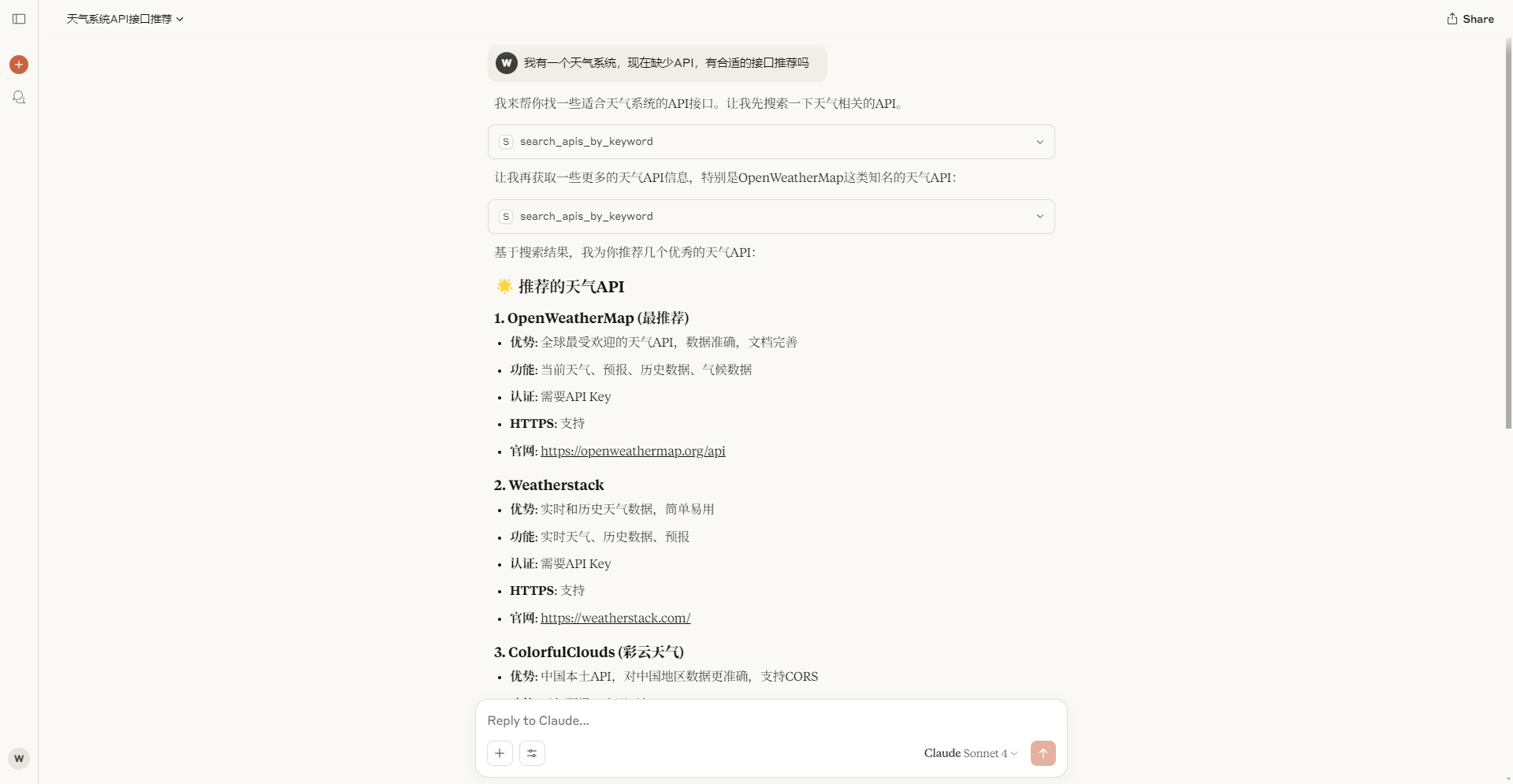
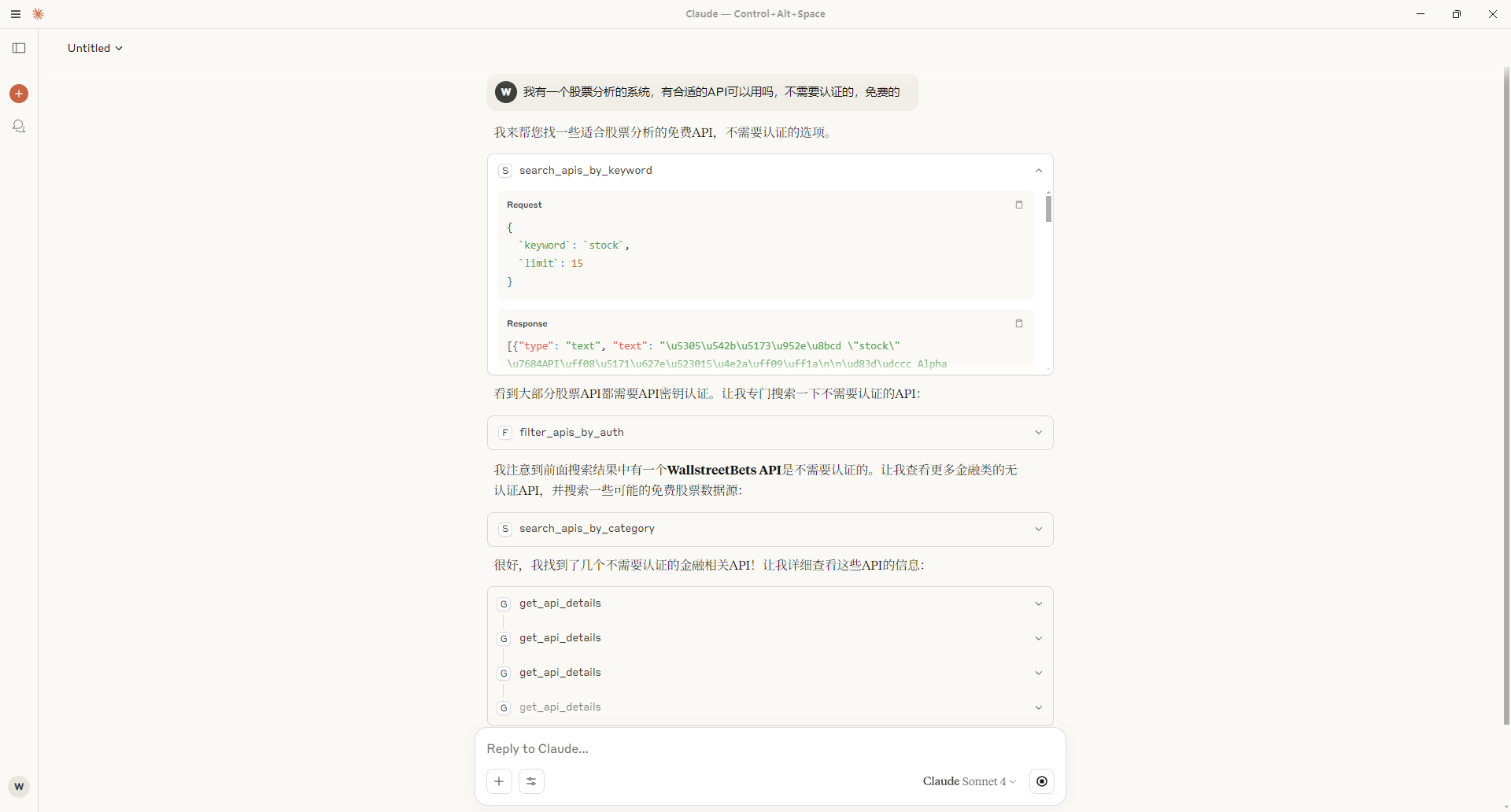
📸 Preview

Usage example

Usage example

Usage example

what is Public Apis Mcp?

Public Apis Mcp provides intelligent access and management features for the public-apis database. It offers developers a convenient way to discover, search, and integrate public APIs. By using the standardized MCP protocol, you can easily integrate a rich set of public API resources into various AI assistants and development tools.

how to use Public Apis Mcp?

To use Public Apis Mcp, you need to configure it in a compatible MCP client (e.g., Cursor). First, ensure you have the latest version of the Cursor client. Then, install the package globally using npm install -g @weilei_kyle/public-apis-mcp. After installation, you can set up the configuration as follows:

{ "mcpServers": { "howtocook-mcp": { "command": "npx", "args": ["-y", "@weilei_kyle/public-apis-mcp"] } } }

key features of Public Apis Mcp?

  • Intelligent access to a wide range of public APIs.
  • Easy integration with various AI assistants and development tools.
  • Standardized MCP protocol for seamless API management.

use cases of Public Apis Mcp?

  1. Discovering new public APIs for application development.
  2. Integrating public APIs into AI-driven applications.
  3. Managing API resources efficiently across different platforms.

FAQ from Public Apis Mcp?

  • What is the MCP protocol?

The MCP protocol is a standardized method for managing and accessing public APIs, making it easier for developers to integrate them into their applications.

  • Is Public Apis Mcp free to use?

Yes! Public Apis Mcp is free to use for developers.

  • Can I use Public Apis Mcp with any MCP client?

Yes! Public Apis Mcp is designed to work with any client that supports the MCP protocol.

Server Config

{
  "mcpServers": {
    "public-apis-mcp": {
      "command": "npx",
      "args": [
        "-y",
        "@weilei_kyle/public-apis-mcp"
      ]
    }
  }
}
Project Info
Created At
a year ago
Updated At
a year ago
Author Name
worryzyy
Star
-
Language
-
License
-
Category

Recommend Servers

View All
Bring your real authenticated browser session to AI coding agents. Local-first MCP server + Chrome MV3 extension. No cloud. No telemetry.
@Cubenest

peek records the user's actual logged-in browser (DOM via rrweb, console events, network metadata, optional response bodies via opt-in Deep capture) through a Chrome MV3 extension. The extension ships events through a native-messaging stdio bridge to a local MCP server (peek-mcp), which persists them to a SQLite database at ~/.peek/sessions.db. AI coding agents (Claude Code, Cursor, Cline, Windsurf) read sessions from the database via 10 MCP tools: Tool What it does list_recent_sessions List recently recorded sessions (id, origin, ts, event count). get_session_summary LLM-readable narrative summary of a session. get_session_console_errors Console errors recorded in a session. get_session_network_errors Failed/notable network requests in a session. get_user_action_before_error Last N user actions before a console error. generate_playwright_repro Generate a runnable Playwright test from a session. get_dom_snapshot Reconstruct the DOM at a given timestamp. query_dom_history Timeline of attribute/text changes for a selector. request_authorization Side-panel consent for write actions (Level 3). execute_action Dispatch a UI action (gated by permission level + destructive blocklist). Why local-first matters Every other "browser session for AI" tool ships to a vendor cloud. peek's SQLite + extension live on the user's machine — no remote endpoints, no telemetry. The privacy policy (docs/peek/PRIVACY_POLICY.md) is the source of truth. Install # 1. Add the MCP server to Claude Code claude mcp add peek -- npx -y @peekdev/mcp # 2. Install the Chrome extension from the Chrome Web Store # (link added once the CWS listing is approved)

2 days ago