Wudao A Share Stock Data Mcp
把 A股数据交给 AI Agent 稳定调用
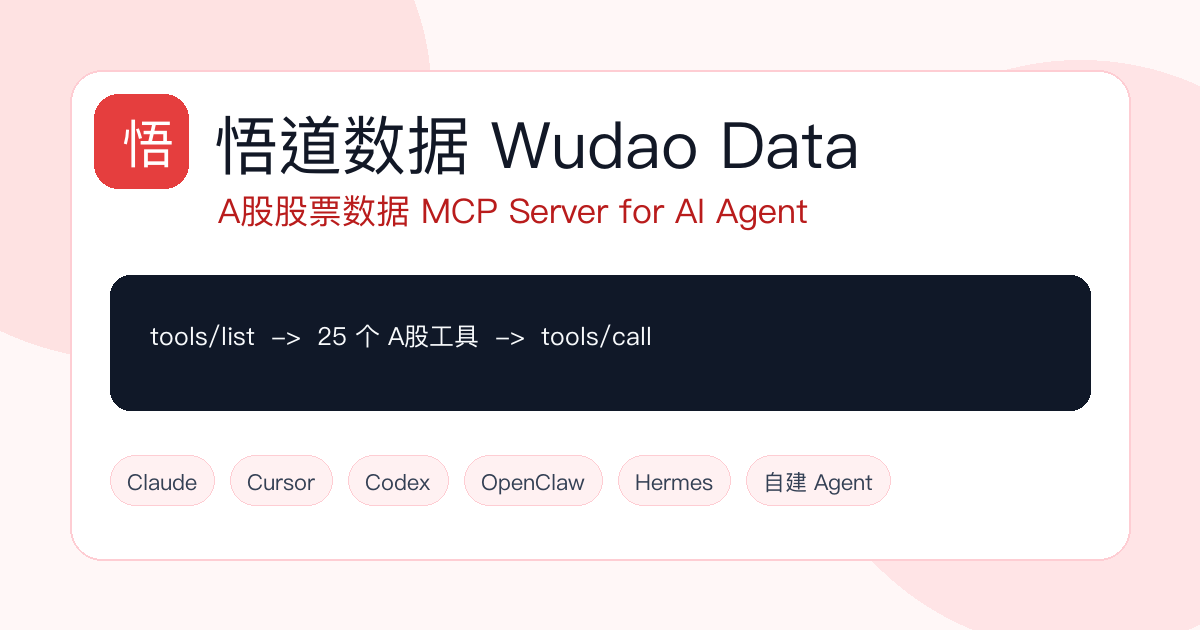
悟道数据 MCP Server 面向 Claude、Cursor、Codex、OpenClaw、Hermes 和自建 Agent,提供短线看盘、涨停梯队、资金板块、市场情报和基本面研究工具。Agent 通过 tools/list 发现 schema,再用 tools/call 获取结构化结果。
<section class="section" id="why">
  <div class="wrap">
    <div class="section-head">
      <h2>为什么用 MCP</h2>
      <p>MCP 让智能体不再依赖粘贴网页、手写接口说明或临时脚本。工具 schema、参数、调用结果和错误都通过统一协议暴露,适合持续运行的投研、复盘和监控工作流。</p>
    </div>
    <div class="grid">
      <article class="card">
        <span class="badge red">工具发现</span>
        <h3>Agent 可以自己选工具</h3>
        <p>支持 <code>initialize</code>、<code>tools/list</code>、<code>tools/call</code>。客户端能动态读取工具定义,减少 prompt 里硬塞接口文档。</p>
      </article>
      <article class="card">
        <span class="badge">结构化结果</span>
        <h3>返回数据更适合推理</h3>
        <p>行情、梯队、资金、板块、财务和股东结构都以结构化 JSON 返回,方便 AI 汇总、比较、排序和继续调用。</p>
      </article>
      <article class="card">
        <span class="badge green">统一权限</span>
        <h3>和 REST 共用一套能力</h3>
        <p>MCP、OpenClaw REST 和内部 Agent Chat 都来自同一套 Capability Registry,共用 API Key、权限、限流和调用统计。</p>
      </article>
    </div>
  </div>
</section>

<section class="section" id="agents">
  <div class="wrap">
    <div class="section-head">
      <h2>OpenClaw / Hermes / Agent 接入</h2>
      <p>这类长期运行的 Agent 更需要稳定、只读、可审计的数据工具。悟道数据 MCP 可以作为 OpenClaw、Hermes、Claude、Cursor、Codex 和自建 Agent 的 A股数据源。</p>
    </div>
    <div class="grid">
      <article class="card">
        <span class="badge red">OpenClaw</span>
        <h3>OpenClaw 股票数据 MCP</h3>
        <p>把悟道数据配置为 OpenClaw 的只读 A股数据工具层,用于盘后复盘、盘中观察和个股研究。</p>
        <p><a href="https://data.quicktiny.cn/openclaw-stock-data-mcp.html">查看 OpenClaw 接入方案</a></p>
      </article>
      <article class="card">
        <span class="badge">Hermes</span>
        <h3>Hermes Agent 股票数据 MCP</h3>
        <p>让 Hermes 在持续任务中调用行情、涨停板、资金流和市场情报,减少网页复制和临时脚本。</p>
        <p><a href="https://data.quicktiny.cn/hermes-stock-data-mcp.html">查看 Hermes 接入方案</a></p>
      </article>
      <article class="card">
        <span class="badge green">Workflow</span>
        <h3>AI Agent A股自动复盘</h3>
        <p>用 MCP 查询行情、涨停梯队、板块轮动和资金流,让 Agent 按固定步骤生成每日复盘。</p>
        <p><a href="https://data.quicktiny.cn/ai-agent-a-share-workflow.html">查看复盘工作流</a></p>
      </article>
    </div>
  </div>
</section>

<section class="section soft" id="profiles">
  <div class="wrap">
    <div class="section-head">
      <h2>MCP Profiles</h2>
      <p>工具不应该一次性全部塞给所有 Agent。悟道数据按 profile 拆分能力,让短线 Agent 保持专注,也让基本面研究可以单独接入。</p>
    </div>
    <table class="profile-table">
      <thead>
        <tr>
          <th>Profile</th>
          <th>Endpoint</th>
          <th>工具数</th>
          <th>适用方向</th>
        </tr>
      </thead>
      <tbody>
        <tr>
          <td><code>short_term</code></td>
          <td><code>https://stock.quicktiny.cn/api/mcp?profile=short_term</code></td>
          <td>25</td>
          <td>短线看盘、涨停梯队、资金板块、异动检测、市场情报。默认不带 profile 时等同短线工具集。</td>
        </tr>
        <tr>
          <td><code>fundamental</code></td>
          <td><code>https://stock.quicktiny.cn/api/mcp?profile=fundamental</code></td>
          <td>3</td>
          <td>估值快照、财务摘要、股东结构。适合中线投研、质量过滤和基本面核验。</td>
        </tr>
        <tr>
          <td><code>all</code></td>
          <td><code>https://stock.quicktiny.cn/api/mcp?profile=all</code></td>
          <td>28</td>
          <td>需要一个 Agent 同时处理短线和基本面任务时使用。普通短线任务不建议默认使用全量。</td>
        </tr>
      </tbody>
    </table>
  </div>
</section>

<section class="section" id="tools">
  <div class="wrap">
    <div class="section-head">
      <h2>工具能力</h2>
      <p>当前能力分为行情、涨停板、资金分析、市场情报和基本面五组。工具名称就是 MCP <code>tools/call</code> 的 <code>name</code>。</p>
    </div>
    <div class="tools">
      <article class="tool-row">
        <span class="badge red">wudao-market</span>
        <h3>市场与行情基础</h3>
        <p><code>stock_search</code> <code>kline</code> <code>minute_data</code> <code>stock_rank</code> <code>market_overview</code> <code>trading_calendar</code></p>
      </article>
      <article class="tool-row">
        <span class="badge red">wudao-limitup</span>
        <h3>涨停板与情绪</h3>
        <p><code>limit_up_ladder</code> <code>limit_up_filter</code> <code>limit_up_premium</code> <code>broken_limit_up</code> <code>limit_down</code> <code>approaching_limit_up</code> <code>limit_stats</code> <code>hot_sectors</code> <code>limit_events</code></p>
      </article>
      <article class="tool-row">
        <span class="badge">wudao-analysis</span>
        <h3>资金与板块分析</h3>
        <p><code>anomaly_detection</code> <code>capital_flow</code> <code>sector_analysis</code> <code>concept_ranking</code> <code>concept_stocks</code></p>
      </article>
      <article class="tool-row">
        <span class="badge green">wudao-intel</span>
        <h3>市场情报</h3>
        <p><code>smart_hotlist</code> <code>research_reports</code> <code>auction_data</code> <code>briefings</code> <code>dragon_tiger</code></p>
      </article>
      <article class="tool-row">
        <span class="badge amber">wudao-fundamental</span>
        <h3>基本面研究</h3>
        <p><code>valuation_snapshot</code> 读取 PE、PB、PS、股息率、市值等估值快照;<code>financial_summary</code> 汇总营收、利润、ROE、毛利率和负债率;<code>shareholder_structure</code> 查询前十大股东和流通股东结构。</p>
      </article>
      <article class="tool-row">
        <span class="badge">REST fallback</span>
        <h3>HTTP API 兼容</h3>
        <p>不支持 MCP 的环境可以走 <code>https://stock.quicktiny.cn/api/openclaw</code>。REST 与 MCP 使用同一套认证和能力注册。</p>
      </article>
    </div>
  </div>
</section>

<section class="section soft" id="config">
  <div class="wrap doc-layout">
    <aside class="side" aria-label="文档目录">
      <a href="#config">MCP 配置</a>
      <a href="#calls">调用示例</a>
      <a href="#rest">REST fallback</a>
      <a href="#use-cases">应用场景</a>
      <a href="#faq">FAQ</a>
    </aside>
    <div class="doc-content">
      <h2>MCP 配置</h2>
      <p>在连板天梯开发者控制台创建 API Key 后,将短线和基本面拆成两个 MCP server。Codex、Cursor、Claude Code 等支持 MCP 的客户端可以让 Agent 在工具发现层自行选择。</p>
      <div class="quickstart">
        <div class="quickstart-head"><span>mcp.json</span><span>profiles</span></div>
        <pre><code>{
"mcpServers": { "wudao-short-term": { "url": "https://stock.quicktiny.cn/api/mcp?profile=short_term", "headers": { "Authorization": "Bearer YOUR_API_KEY" } }, "wudao-fundamental": { "url": "https://stock.quicktiny.cn/api/mcp?profile=fundamental", "headers": { "Authorization": "Bearer YOUR_API_KEY" } } } }
      <h2 id="calls">协议调用示例</h2>
      <div class="quickstart">
        <div class="quickstart-head"><span>curl</span><span>JSON-RPC</span></div>
        <pre><code># 查看 fundamental manifest
curl -s "https://stock.quicktiny.cn/api/mcp/manifest?profile=fundamental"
列出短线工具
curl -s -X POST "https://stock.quicktiny.cn/api/mcp?profile=short_term"
-H "Content-Type: application/json"
-H "Authorization: Bearer $LB_API_KEY"
-d '{"jsonrpc":"2.0","id":1,"method":"tools/list","params":{}}'
调用基本面估值快照
curl -s -X POST "https://stock.quicktiny.cn/api/mcp?profile=fundamental"
-H "Content-Type: application/json"
-H "Authorization: Bearer $LB_API_KEY"
-d '{"jsonrpc":"2.0","id":2,"method":"tools/call","params":{"name":"valuation_snapshot","arguments":{"code":"贵州茅台"}}}'
      <h2 id="rest">REST fallback</h2>
      <p>如果当前客户端还不能接 MCP,可以把 API Key 放入环境变量,使用 OpenClaw REST 兼容入口。适合自动化脚本、内部服务和 CI 任务。</p>
      <div class="quickstart">
        <pre><code>export LB_API_KEY="YOUR_API_KEY"
export LB_API_BASE="https://stock.quicktiny.cn/api/openclaw"
curl -s -H "Authorization: Bearer $LB_API_KEY"
"$LB_API_BASE/fundamental/valuation?code=600519"
      <h2 id="use-cases">主要应用场景</h2>
      <div class="grid two">
        <article class="card"><h3>盘后复盘</h3><p>读取涨停梯队、封板率、热门板块、资金流和市场简报,让 Agent 输出市场情绪、主线题材和风险点。</p></article>
        <article class="card"><h3>短线盯盘</h3><p>结合冲板、封板事件、集合竞价、热榜和异动检测,构建自动提醒或盘中观察列表。</p></article>
        <article class="card"><h3>个股投研</h3><p>先用搜索和 K 线定位标的,再补充龙虎榜、研报、估值、财务摘要和股东结构,形成个股研究上下文。</p></article>
        <article class="card"><h3>策略过滤</h3><p>短线强势信号之后再调用基本面 profile,过滤估值、盈利质量或股东结构明显异常的标的。</p></article>
      </div>
    </div>
  </div>
</section>

<section class="section" id="faq">
  <div class="wrap">
    <div class="section-head">
      <h2>FAQ</h2>
      <p>面向 GitHub Pages、搜索引擎和 AI 引用场景的简短说明。</p>
    </div>
    <div class="grid">
      <article class="card">
        <h3>这是通用 MCP 框架吗?</h3>
        <p>不是。它是股票投研垂直 MCP Server,核心优势是工具语义、字段和数据源围绕 A股投研设计,而不是让开发者自己把通用接口再包装成 Agent tool。</p>
      </article>
      <article class="card">
        <h3>工具多会影响短线 Agent 吗?</h3>
        <p>不会强制影响。推荐把短线任务接 <code>short_term</code> profile,把基本面任务接 <code>fundamental</code> profile。工具发现层只读对应集合。</p>
      </article>
      <article class="card">
        <h3>怎么拿 API Key?</h3>
        <p>进入 <a href="https://stock.quicktiny.cn/developer">连板天梯开发者控制台</a> 创建 API Key。请求头统一使用 <code>Authorization: Bearer YOUR_API_KEY</code>。</p>
      </article>
    </div>
  </div>
</section>
Server Config
{
  "mcpServers": {
    "wudao-stock-data": {
      "url": "https://stock.quicktiny.cn/api/mcp",
      "headers": {
        "Authorization": "Bearer YOUR_API_KEY"
      }
    }
  }
}Recommend Servers
View AllPlaywright MCP server
summarize chat message