Cursor Jupyter Notebook MCP Server

Created By
jbenoa year ago
This is a Model Context Protocol (MCP) server designed to allow AI agents within Cursor to interact with Jupyter Notebook (.ipynb) files. It uses the nbformat library to safely manipulate notebook structures and enforces security by restricting operations to user-defined directories. It also uses nbconvert to enable exporting notebooks to various formats like Python scripts, HTML, and more. The server handles all notebook operations through a clean API that maintains notebook integrity and prevents malformed changes.
Overview

Jupyter Notebook MCP Server (for Cursor)

This directory contains a Model Context Protocol (MCP) server designed to allow AI agents within Cursor to interact with Jupyter Notebook (.ipynb) files. It was created to overcome a limitation with Cursor. As of version 0.48.9, in Agent mode, the model could not edit notebooks or notebook cells in response to dialog in the AI chat pane. This provides the agent with a suite of MCP tools that allow direct notebook cell manipulation.

I'm sure at some point this will be handled natively by Cursor, but I have a data science background, and I live in Jupyter notebooks. I got tired of copy/paste-ing output of the chat manually into the notebook cells.

Although designed to overcome a limitation with Cursor, this MCP server does not have anything specific to Cursor other than the configuration instructions. You could easily configure this for use with Claude Code or any model/agent that can take advantage of MCP.

This MCP server uses the nbformat library to safely manipulate notebook structures and enforces security by restricting operations to user-defined directories. It also uses nbconvert to enable exporting notebooks to various formats like Python scripts, HTML, and more. The server handles all notebook operations through a clean API that maintains notebook integrity and prevents malformed changes.

Video Walkthrough
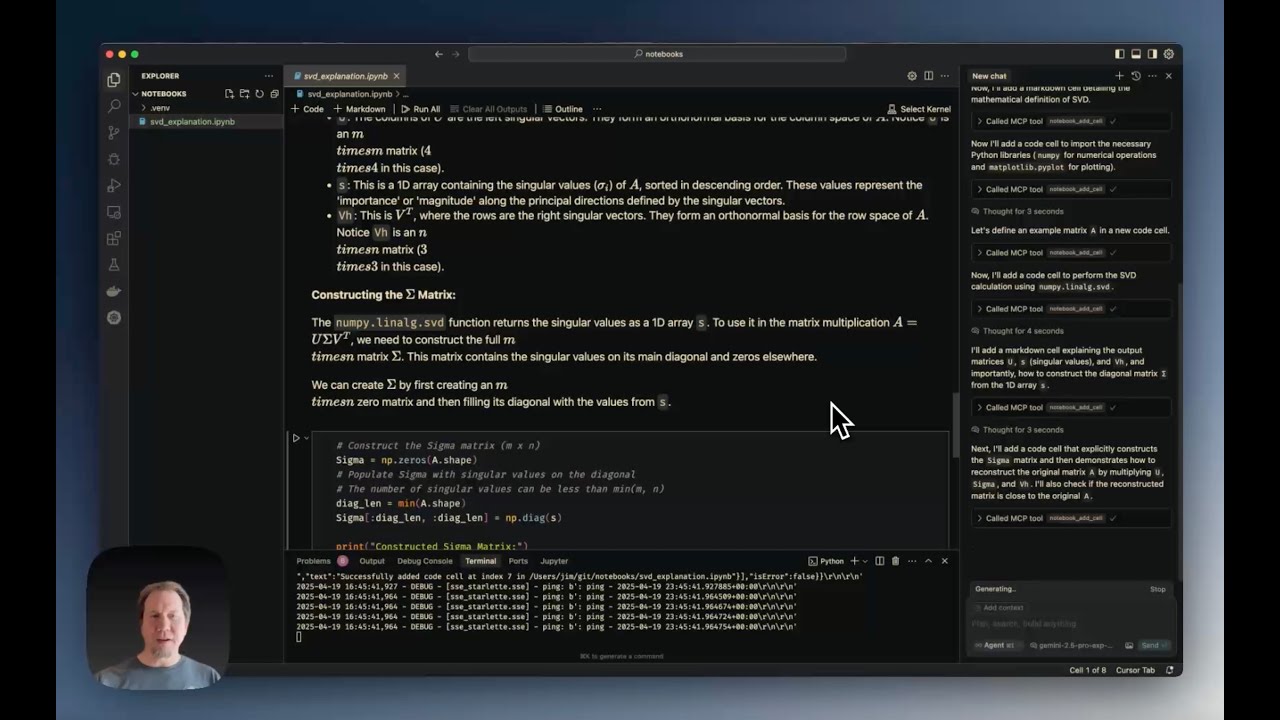
Video Walkthrough Thumbnail

Cursor Jupyter Notebook MCP Server (YouTube) walks through:

  • The current limitations of editing notebooks directly in Cursor.
  • Installing and configuring the Notebook MCP Server.
  • Creating a notebook from scratch (example shown: Singular Value Decomposition tutorial in less than 2 minutes).
  • Demonstrating various editing tools (edit, split, duplicate cells).
  • Reading notebook metadata.
  • Exporting notebooks to python
Project Info
Created At
a year ago
Updated At
a year ago
Author Name
jbeno
Star
-
Language
-
License
-
Category

Recommend Servers

View All
Bring your real authenticated browser session to AI coding agents. Local-first MCP server + Chrome MV3 extension. No cloud. No telemetry.
@Cubenest

peek records the user's actual logged-in browser (DOM via rrweb, console events, network metadata, optional response bodies via opt-in Deep capture) through a Chrome MV3 extension. The extension ships events through a native-messaging stdio bridge to a local MCP server (peek-mcp), which persists them to a SQLite database at ~/.peek/sessions.db. AI coding agents (Claude Code, Cursor, Cline, Windsurf) read sessions from the database via 10 MCP tools: Tool What it does list_recent_sessions List recently recorded sessions (id, origin, ts, event count). get_session_summary LLM-readable narrative summary of a session. get_session_console_errors Console errors recorded in a session. get_session_network_errors Failed/notable network requests in a session. get_user_action_before_error Last N user actions before a console error. generate_playwright_repro Generate a runnable Playwright test from a session. get_dom_snapshot Reconstruct the DOM at a given timestamp. query_dom_history Timeline of attribute/text changes for a selector. request_authorization Side-panel consent for write actions (Level 3). execute_action Dispatch a UI action (gated by permission level + destructive blocklist). Why local-first matters Every other "browser session for AI" tool ships to a vendor cloud. peek's SQLite + extension live on the user's machine — no remote endpoints, no telemetry. The privacy policy (docs/peek/PRIVACY_POLICY.md) is the source of truth. Install # 1. Add the MCP server to Claude Code claude mcp add peek -- npx -y @peekdev/mcp # 2. Install the Chrome extension from the Chrome Web Store # (link added once the CWS listing is approved)

2 days ago
Voyei

4 hours ago